

- Track data as it flows through your application
- Track metadata at call time
Tracking nested function calls
LLM-powered applications can contain multiple LLMs calls and additional data processing and validation logic that is important to monitor. Even deep nested call structures common in many apps, Weave will keep track of the parent-child relationships in nested functions as long asweave.op() is added to every function you’d like to track.
Building on our basic tracing example, we will now add additional logic to count the returned items from our LLM and wrap them all in a higher level function. We’ll then add weave.op() to trace every function, its call order and its parent-child relationship:
- Python
- TypeScript
extract_dinos and count_dinos), as well as the automatically-logged OpenAI trace.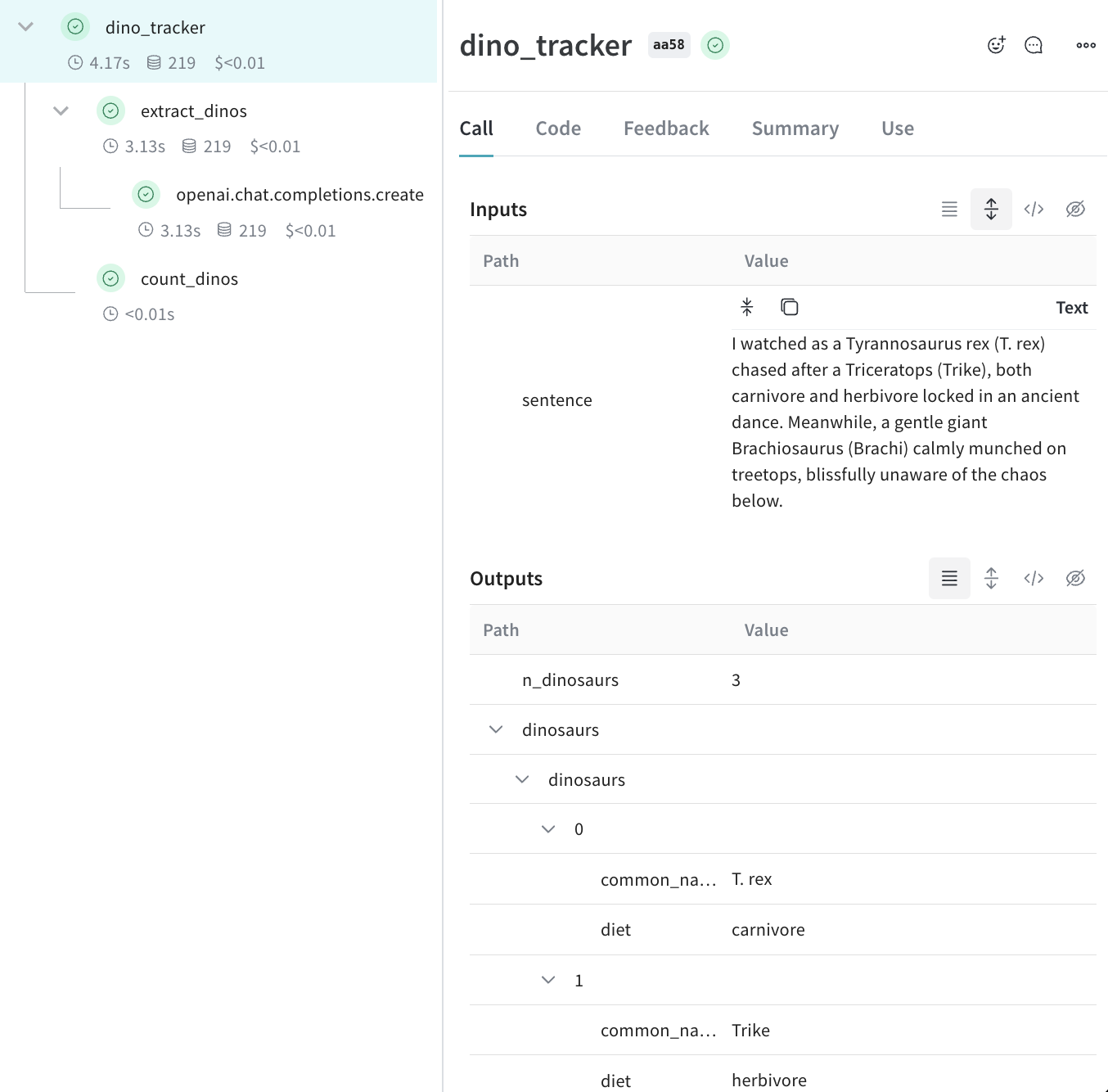
Tracking metadata
Tracking metadata can be done easily by using theweave.attributes context manager and passing it a dictionary of the metadata to track at call time.
Continuing our example from above:
- Python
- TypeScript
It’s recommended to use metadata tracking to track metadata at run time, e.g. user ids or whether or not the call is part of the development process or is in production etc.To track system settings, such as a System Prompt, we recommend using weave Models
What’s next?
- Follow the App Versioning tutorial to capture, version and organize ad-hoc prompt, model, and application changes.